Ground Control Stations (GCS)
-
- Ground Station is a software application, running on a ground-based
computer.
- if you are running GCS on PC, then you need a seperate box for connecting to UAV
- There are speciallized GCS which contains embedded transmitter(which communicates with your UAV via wireless telemetry)
- Ground Stations which can communicate with ArduPilot: Mission Planner, APM Planner 2, MAVProxy, QGroundControl, UgCS, and LOGOS. For Tablet/Smartphone there are QGroundControl, Tower (DroidPlanner 3), MAVPilot, AndroPilot and SidePilot
- Choosing a Ground Station
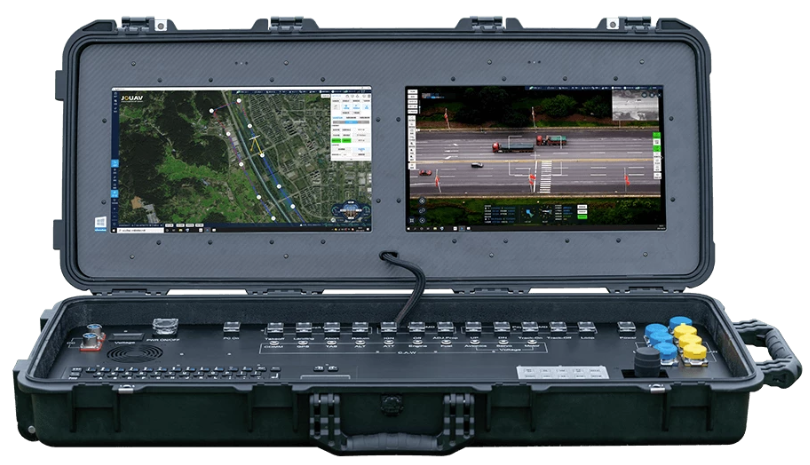 GCS Types
| Name | Supported On | License | Description |
|---|---|---|---|
| Mission Planner | Windows, MAC OS X | Open source (GPLv3) | Fully featured |
| APM Planner 2.0 | Windows, MAC OS X, Linux | Open source (GPLv3) | reduced feature set when compared with others. Smaller user base |
| MAVProxy | Linux | Open source (GPLv3) | Written in Python, and extensible via python modules |
Mission Planner (Desktop GCS)
-
Install
Mission Planner
GCS(Ground Control Station) on Windows, it will ask to install several
Drivers on your Laptop.
These drivers are NOT for simulation (SITL). They are for real hardware communication when you connect a flight controller via USB.
Drivers Installed by Mission Planner
| Driver | Usage | Example Boards |
|---|---|---|
| 1. UART(USB-to-Serial Drivers) | Convert USB → serial communication (UART) | CP210x, FTDI, CH340 |
| 2. Bootloader Driver | Flashing firmware. On flight controllers, when firmware needs updation this driver is used | STM32, DFU Driver |
| 3. Direct MAVLink USB | Some boards expose, MAVLink directly over USB | PX4/APM USB |
Documents
- https://ardupilot.org/planner/docs/
UI (User Interface)
Flight Data Screen
Heads-Up display(HUD)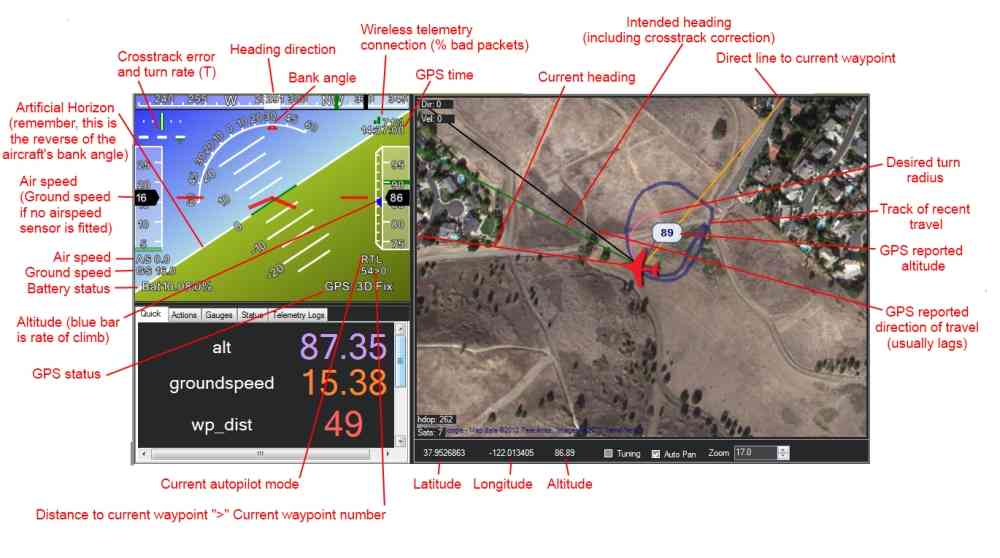
|
Detailed View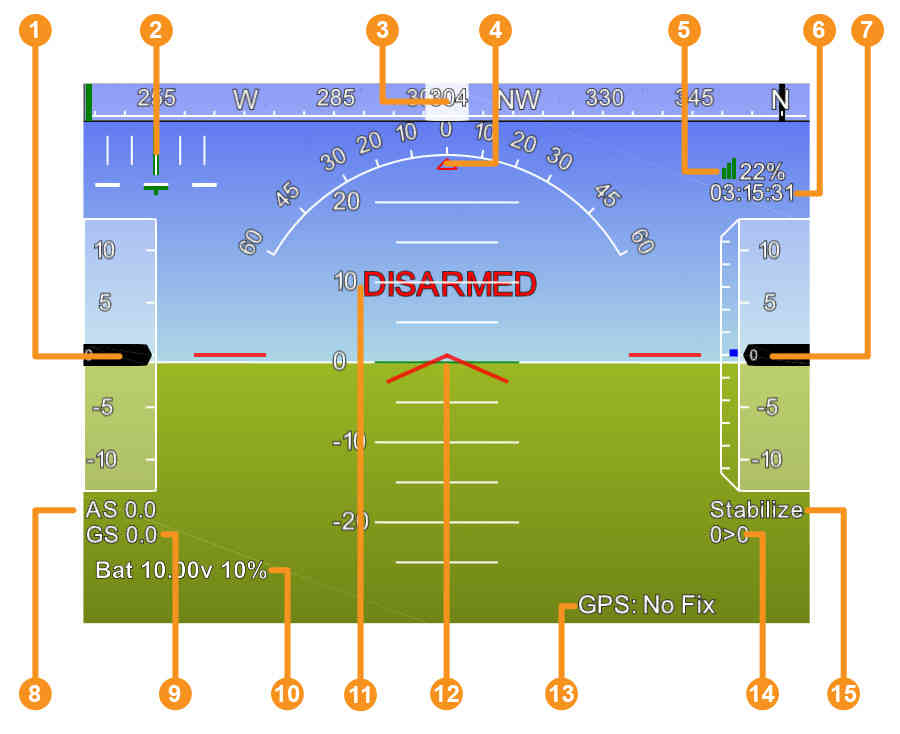 1. Airspeed (Groundspeed if no airspeed sensor is fitted) 2. Crosstrack error and turn rate (T) 3. Heading direction 4. Bank angle 5. Telemetry connection link quality (averaged percentage of good packets) 6. GPS time 7. Altitude (Blue bar is the rate of climb) 8. Airspeed 9. Groundspeed 10. Battery status 11. Artificial Horizon 12. Aircraft Attitude 13. GPS Status 14. Distance to Waypoint > Current Waypoint Number 15. Current Flight Mode |
Guided Mode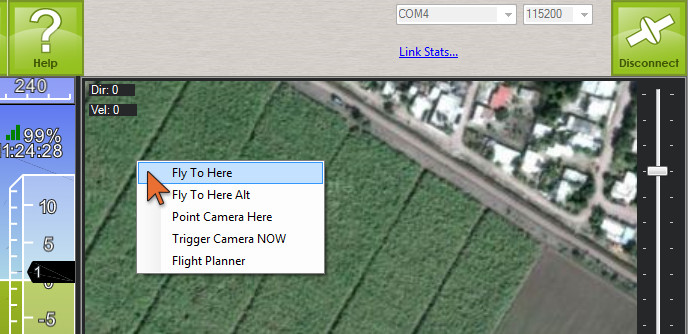 |