Django
Django is primarily a web development framework
designed to help developers build secure, scalable, and database-driven
web applications quickly using Python
Features:
1. It provides all the necessary components for building a backend or
full-stack application.
2. Includes an Object-Relational Mapper (ORM) for databases, user
authentication, URL routing
3. Automatic admin panel
4. extends Python’s built-in unittest module for testing
Create, Run Django Project
// Create python venv
$ python3 -m venv .venv && source .venv/bin/activate && python --version && which python && pip --version
Python 3.10.12

// Install Django
$ python -m pip install Django

// Create Project
$ django-admin startproject my_tennis_club
$ ls
my_tennis_club
    manage.py
    my_tennis_club/
        __init__.py
        asgi.py
        settings.py
        urls.py
        wsgi.py

// Run the project
$ cd my_tennis_club
$ python manage.py runserver
Starting development server at http://127.0.0.1:8000/
Terms
App
An app is a web application that has a specific meaning in django
project, like a home page, a contact form, or a members database.
django project has to be stopped while creating an app
Create app inside django project, representing tennis club members:
(.venv) my_tennis_club$ python manage.py startapp members
$ ls -ltr
total 12
-rwxr-xr-x 1 amit amit  665 Jul  4 10:11 manage.py
drwxr-xr-x 3 amit amit 4096 Jul  4 10:12 test_proj
-rw-r--r-- 1 amit amit    0 Jul  4 10:12 db.sqlite3
drwxr-xr-x 3 amit amit 4096 Jul  4 10:15 test_app
$ ls my_tennis_club/
__init__.py  admin.py  apps.py  migrations  models.py  tests.py  views.py
Views
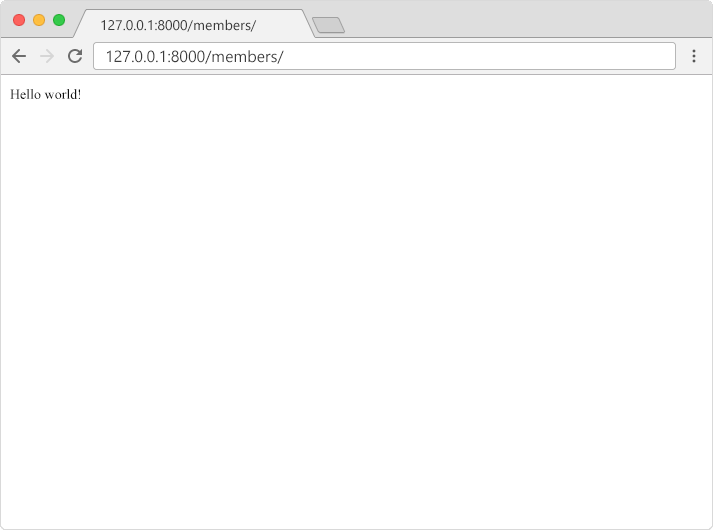
Django views are Python functions that take http requests and return http response
$ cat members/views.py
from django.shortcuts import render
from django.http import HttpResponse

def members(request):
    return HttpResponse("Hello world!")
URLs (Router)
These files defines the path. URL -> project urls.py -> app urls.py -> view function -> response.
Top/Project Level Router |
App Level Router |
View is the responder |
Templates
In Django, the result should be in HTML, and it should be created in a template. Create a templates folder inside the members folder, and create a HTML file named myfirst.html
|
|
Modify the view and route
|
Change the settings |
|
|
Database
When we created the Django project, we got an empty SQLite database. It was created in the root folder, and has the filename db.sqlite3.
$ sqlite3 db.sqlite3
SQLite version 3.37.2 2022-01-06 13:25:41
Enter ".help" for usage hints.
sqlite> .tables                          < These are default created tables
auth_group                  auth_user_user_permissions
auth_group_permissions      django_admin_log
auth_permission             django_content_type
auth_user                   django_migrations
auth_user_groups            django_session
Model = Table
By default, all Models created in the Django project will be created as
tables in this database. Models = Tables in DB
Creating a Model = Table
|
makemigrations: Create Migration Script
|
migrate: Run Migration script. Create Table.
|
View Table.
|
Insert, Update, Delete data in Table
Insert |
Update |
Delete |
Update Model: Add 2 new fields
$ vim members/models.py
from django.db import models

class Member(models.Model):
  firstname = models.CharField(max_length=255)
  lastname = models.CharField(max_length=255)
  phone = models.IntegerField(null=True)
  joined_date = models.DateField(null=True)

$ python manage.py makemigrations members
Migrations for 'members':
  members/migrations/0002_member_joined_date_member_phone.py
    + Add field joined_date to member
    + Add field phone to member

// Apply 0002_member_joined_date_member_phone.py
$ python manage.py migrate
Operations to perform:
  Apply all migrations: admin, auth, contenttypes, members, sessions
Running migrations:
  Applying members.0002_member_joined_date_member_phone... OK