What Netskope SWG?
-
Netskope SWG (Secure Web Gateway) functions as a cloud-based security solution that monitors and controls web traffic by
inspecting URLs, analyzing content, and applying policies to detect and block malicious websites, malware, and data leaks
How SWG works
-
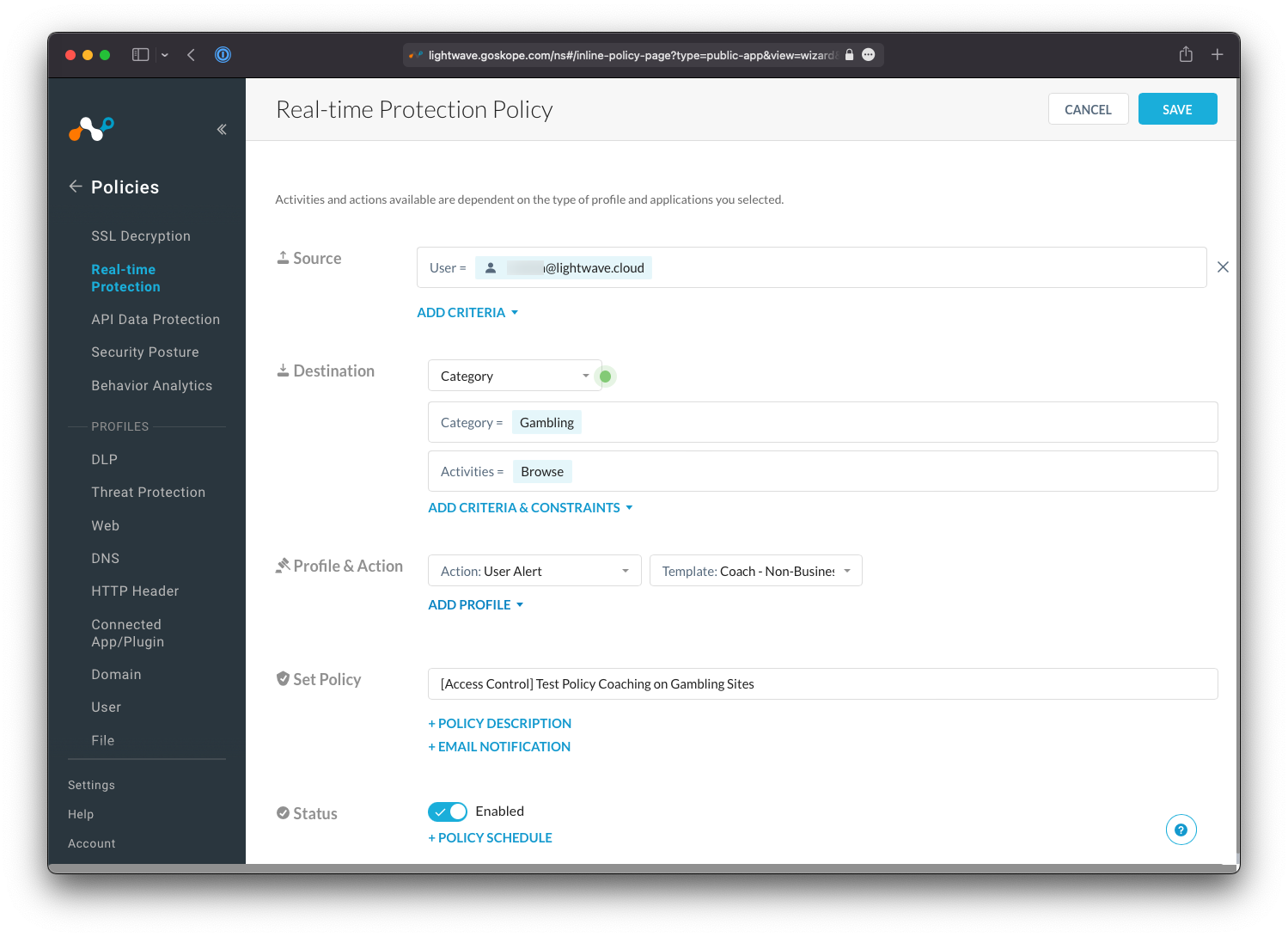
1. Admin creates policies in UI (Eg: browser=Chrome, action=drop) which is passed to Policy Enginer module
2. When packet hits SWG, data is extracted from header (eg: user-agent, browser etc) and a event message is created with <key,value> fields
3. Event message is passed to policy module, which takes action based on fields from event message
Terms
| Term | Description |
|---|---|
| Data Loss Prevention (DLP) Protection | Protect sensitive data by detecting and preventing unauthorized data transfers. Can be customized for specific type of data eg: Personally Identifiable Information (PII) or Payment Card Information (PCI). |
Policy types in Netskope SWG
| Name | Description | ||||
|---|---|---|---|---|---|
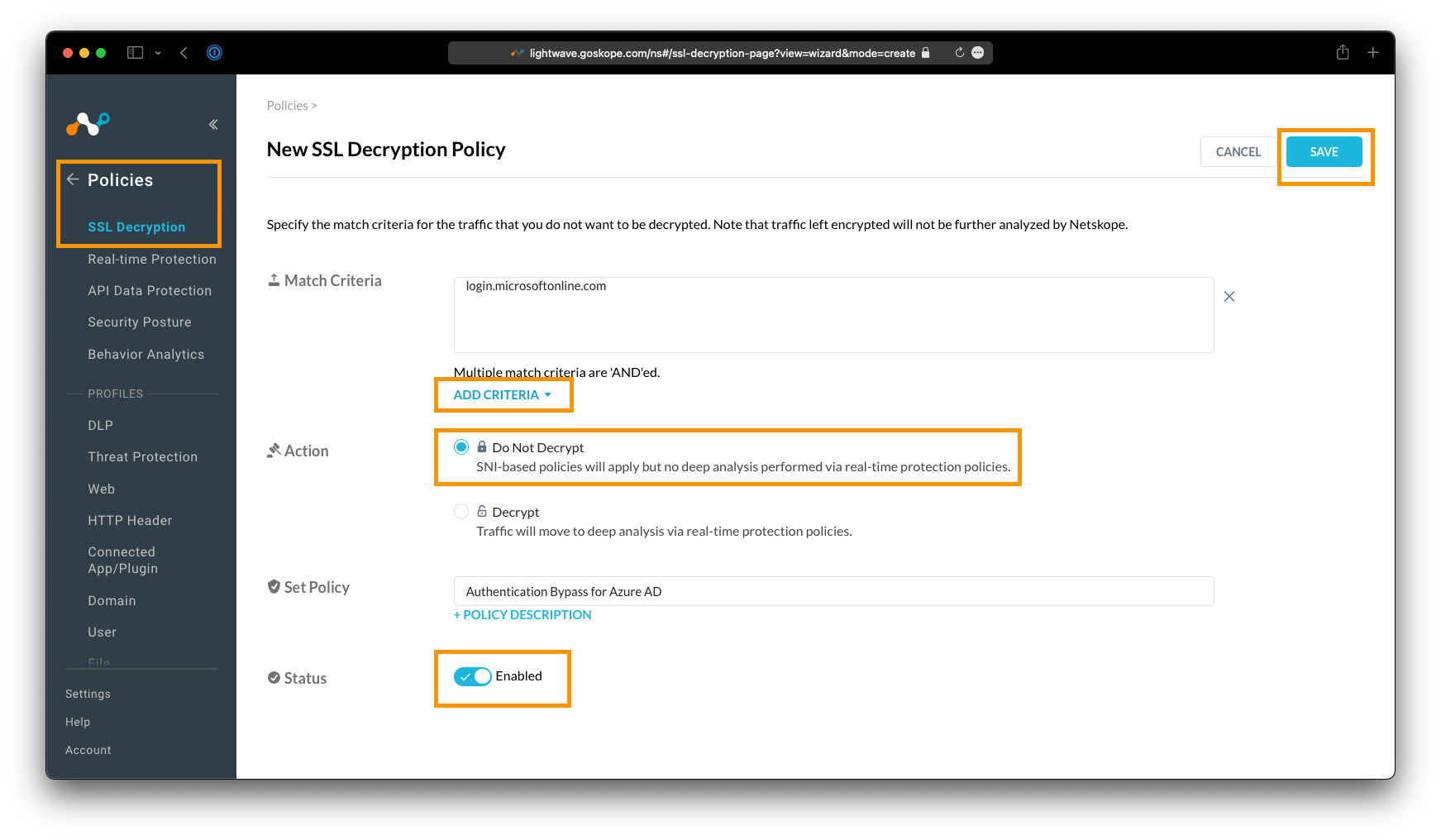
| Bypass Policies |
Traffic is bypassed from Netskope SWG and is sent direct to the destination. Types of bypass
|
||||
| Real-time Protection |
Policies matched against pre-defined Categories. Set action based on criteria. For Real time traffic.
|
||||
| Egress IP Policy |
Egress IP: Interface network address that identifies traffic leaving a system or network. Outgoing
packet's source IP will be Egress IP of router/gateway. That means all outgoing packets will same same source IP
ie of gateway Egress IP Policy(Netskope): Natskope cloud only accept packets from dedicated(pre configured) Egress IP addresses. |
||||
| Enterprise Browser Policy (not RBI) | Natskope One Enterprise Browser? This is not a seperate standalone browser, rather this is some security features enabled in any browser mkaing it dedicated browser designed for company use. But it uses RBI to render contents on user's device. | ||||
| Fall back |
This policy determines how the system handles traffic or files when security inspection fails,
Eg: file too large(DLP cannot happen). Now what action should be taken? Continue traffic, Block or alert |
Configurations in Netskope
| Name | Description | |||||||||||
|---|---|---|---|---|---|---|---|---|---|---|---|---|
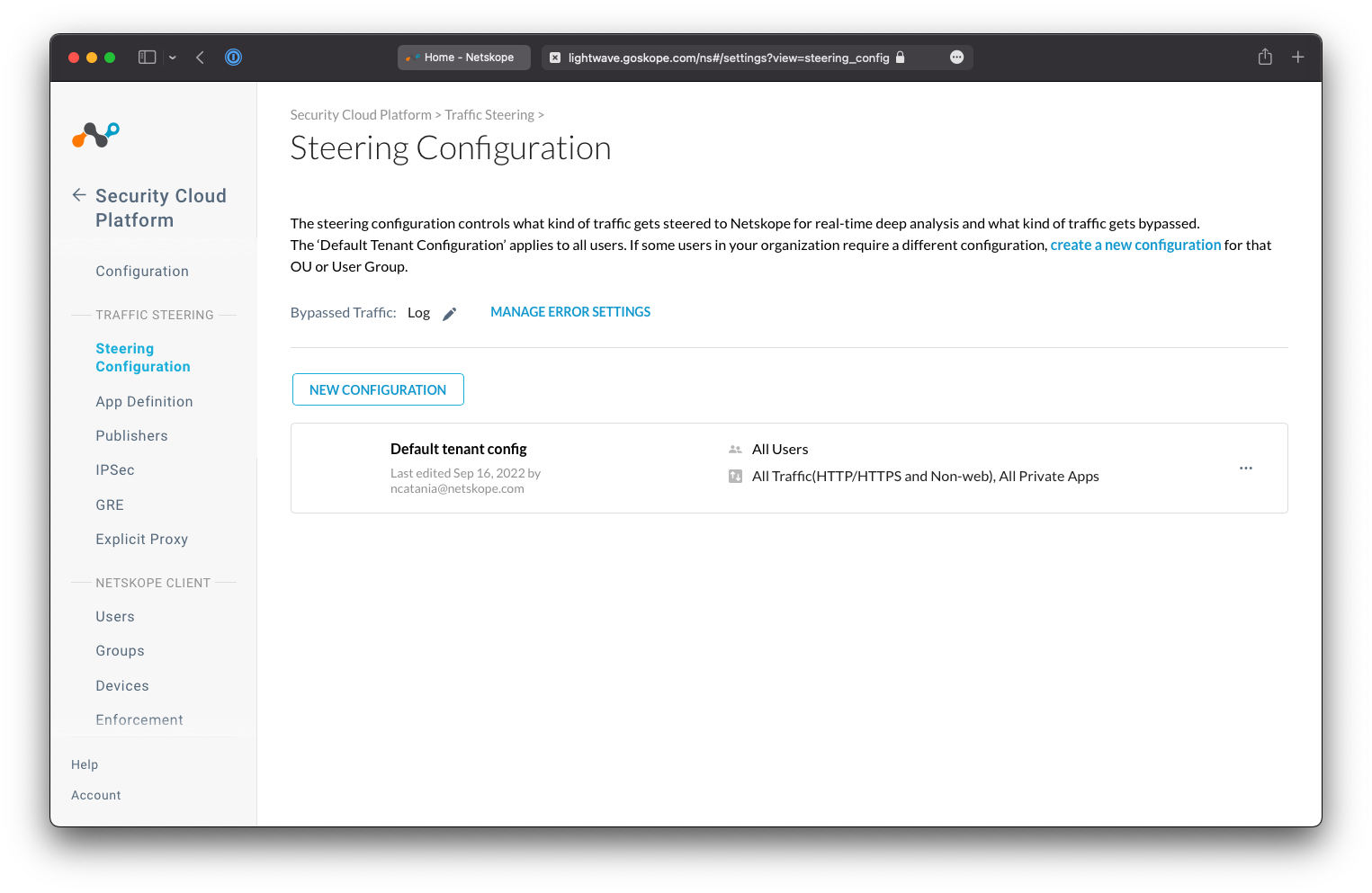
| Steering Configurations |
|
Cloud Explicit Proxy Netskope
-
Way to direct traffic from any device to the Netskope Cloud by using a Proxy Auto Configuration (PAC) file configured in browser.
This is orthogonal to nsclient installed on device and sending traffic to Netskope cloud.
When Explicit proxy is useful? When installing the client is not feasible
Proxy Chaining Netskope
-
Customer will setup a onpremises proxy(netskope or other). User browser will hit onpremises proxy for HTTP requests.
onpremises proxy will connect proxy2 on Netskope cloud. And proxy2 will connect to destination server.
Here 2 proxies are present, proxy1(onpremises), proxy2(On netskope cloud), hence its proxy Chaining.
What is proxy server?
How its done?
Configure on-premises proxy to send traffic to Netskope proxy and add Proxy1(onpremises proxy) IP address to allowlist.
            @startuml
            box Customer Premises  #Cyan
            participant UserBrowser as ub
            participant Downloader as d
            participant "OnPrem Proxy1" as p1
            end box

            hnote over p1
            Also Called
            Downstream Proxy/
            Explicit Proxy
            end note

            hnote over p2
            Also Called
            Explicit Proxy
            end note

            box IDP
            participant IDP as idp
            end box

            box netskope cloud
            participant Proxy2 as p2
            end box

            box Destination
            participant google as g
            end box

            hnote over p1  #LightPink
            Install netskope CA cert
            UI > Settings > Certs >
            Signing CA
            end note

            hnote over p2   #LightPink
            UI > Settings
            > Security Cloud Platform
            > Proxy Chaining
            > Add Proxy1 IP
            to allow list
            end note

            ub -> d: Give me PAC File
            d -> ub: PAC
            hnote over ub
            PAC directs
            traffic to onprem
            Proxy
            end note

            ub -> p1: HTTP GET google.com

            alt authentication flow
            hnote over p1
            Authenticate
            user
            end note

            p1 -> ub: HTTP 403 Redirect IDP
            ub -> idp: HTTP GET
            idp -> ub: Login(user,pass)
            ub -> idp: user,pass
            idp -> p1: Auth Done
            idp -> ub: HTTP Redirect proxy\nJWT Token
            ub -> p1: HTTP GET\nHeader(JWT Token)
            end

            p1 -> p2: HTTP GET google.com\nHeaders:{\nJWT Token\nX-Forwarded-For-Header}
            p2 -> g: HTTP GET google.com
            g -> ub: body

            @enduml
XFF
-
What is XFF Header, why its used?
How to implement in Natskope
1. Browser should be installed with XFF header extension
2. While list Client's public IP on Natskope Tenant UI > Settings > Security Cloud Platform > Explicit Proxy > IP Address Allowlist & User Identity > Add IP Address
3. When presented download root CA cert into browser cert store
4. Set up Proxy in browser. Settings > proxy >
Events
-
Event is web traffic log which help organization for deeper inspection of packet.
The events are designed to provide near real-time insights into web transactions. Types of events:
Page Event
- Detailed logs about web page interactions.
A Page Event aggregates multiple connections (ads, images, scripts, etc.) that occur when a user
visits a single webpage, presenting them as one consolidated event for simpler analysis.
Application Event
- Detailed activities within a cloud application, such as uploading, downloading, or
logging in, often interpreted by Netskope for "cloud" apps
Alerts
-
Triggered when traffic matches a defined policy (like DLP or threat protection), indicating a potential security issue.
Network Events
-
Logs related to network traffic, including Netskope Private Access (NPA) and Cloud Firewall (CFW) activities.
Transaction Event
-
Detailed HTTP web traffic logs, provide granular information about websites users have accessed
Configure Transaction Event:
Settings > Tools > REST API v2 > New Token > Add Endpoint > /api/v2/events/token/transaction_events endpoint > create the API token.
Query Transaction Event
- Netskope retains transaction events for seven days by default if not consumed.
- Transaction events are stored in Google PubSubLite by Netskope ingestion services.
- Once configured, these can be queried at endpoint token/transaction_events.
- subscription/backlog_message_count: Number of messages that have been sent to a PubSubLite subscription